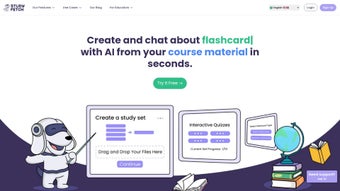

Download Study Fetch – AI‑Powered Tutoring, Flashcards, and Interactive Study Tools
Overview
Study Fetch is a cutting‑edge, AI‑driven learning platform designed to transform the way students interact with any type of study material. By leveraging advanced natural‑language processing and computer‑vision models, the app can ingest PDFs, Word documents, recorded lectures, slide decks, and even web articles, then instantly generate interactive flashcards, custom quizzes, and adaptive practice tests. The core of the system is Spark.E, an intelligent tutor that not only extracts key concepts but also grades assignments, provides step‑by‑step feedback, and suggests personalized study paths based on real‑time performance data.
This dynamic approach replaces the traditional, passive reading experience with an active, feedback‑rich environment that promotes deeper retention and faster mastery. Whether you’re a high‑school student tackling algebra, an undergraduate preparing for midterms, or a graduate researcher needing to absorb dense technical papers, Study Fetch scales to match the complexity of any subject. The platform is cloud‑native, offering end‑to‑end encryption for all uploaded content and progress metrics, so privacy concerns are minimized.
A free tier grants unlimited flashcard creation, basic quiz generation, and access to Spark.E’s core tutoring functions, while premium plans unlock advanced analytics, larger file uploads, and priority processing. Availability spans Windows 10/11, macOS Catalina and later, Android 8.0+, and iOS 13+, with a responsive web version that works on Chromebooks and other thin clients. Regular automatic updates introduce new AI models, expanded language support, and performance optimizations, ensuring that the tool stays at the forefront of educational technology.
In essence, Study Fetch delivers a secure, versatile, and highly personalized study ecosystem that empowers learners to study smarter, not harder.
Key Features That Differentiate Study Fetch
- AI‑Generated Flashcards: Upload any document, video, or audio file and Spark.E extracts core concepts, automatically creating spaced‑repetition flashcards that can be edited or refined.
- Customizable Quizzes & Tests: Convert notes into multiple‑choice, true‑false, short‑answer, or essay‑style questions with optional timers, randomization, and difficulty scaling.
- Live Lecture Companion: Seamlessly integrate with Zoom, Microsoft Teams, Google Meet, or Cisco Webex to capture real‑time transcripts, annotate slides, and generate on‑the‑fly flashcards during class.
- Smart Grading Engine: Submit essays or problem‑sets; Spark.E evaluates responses against rubrics, assigns scores, and offers detailed, actionable feedback.
- Progress Dashboard & Analytics: Visualize mastery percentages, study streaks, time‑on‑task, and knowledge gaps through interactive charts and heatmaps.
- Cross‑Platform Sync: All study assets are stored in an encrypted cloud and instantly synchronized across Windows, macOS, Android, iOS, and the web.
- Secure Collaboration: Share decks or quiz sets via encrypted links with granular permission controls (view‑only, comment, edit, or co‑author).
- Offline Mode & Export Options: Download decks for offline review, export flashcards to Anki or Quizlet, and print quizzes for paper‑based practice.
- Multi‑Language Support: The AI engine now supports over 15 languages, enabling international students to generate study material in their native tongue.
- Continuous Learning Updates: Weekly model upgrades improve extraction accuracy, add new question types, and expand subject‑specific knowledge bases.
Installation & Usage: From Download to First Review in Under Ten Minutes
Study Fetch has been engineered for a frictionless onboarding experience. Follow these steps to get up and running quickly, regardless of your device or technical background.
- Download the Installer: Navigate to the official Study Fetch website and click the Download button that matches your operating system—Windows (.exe), macOS (.dmg), Android (Play Store), or iOS (App Store). All downloads are served over HTTPS and are under 150 MB.
- Run the Installer: On Windows, double‑click the .exe file; on macOS, open the .dmg and drag the app into the Applications folder. Mobile users simply tap “Install” and wait for the app store to finish.
- Create Your Account: Launch the app, select “Sign Up,” and enter an email address or use a Google/Apple single‑sign‑on. A verification email confirms ownership and activates encryption keys for your data.
- Start a New Project: Click “New Project,” choose the source type (PDF, video, plain text, or URL), and upload your file. Spark.E begins processing within seconds, extracting headings, key terms, and visual elements.
- Generate Study Assets: Choose “Flashcards,” “Quiz,” or both. The AI auto‑tags concepts, creates question stems, and offers an inline editor for fine‑tuning. You can also set a spaced‑repetition interval or exam timer.
- Begin Studying: Use the built‑in scheduler to review flashcards daily, or launch a timed quiz to simulate test conditions. All interactions are logged to your personal dashboard.
- Activate Live Lecture Mode: Connect your video‑conference tool, enable “Live Capture,” and let Spark.E transcribe key points while you ask AI‑powered questions in the side panel. Relevant flashcards appear automatically for immediate reinforcement.
- Sync & Backup: All changes sync to the encrypted cloud in real time. Enable two‑factor authentication for added security, and export a backup zip if you prefer local storage.
The user interface follows a clean, card‑based layout with intuitive icons, making navigation straightforward for first‑time users. A built‑in help center, searchable FAQ, and community forum provide instant assistance, while automatic background updates keep the software current without manual intervention. Whether you study on a laptop in the library or on a smartphone during a commute, Study Fetch ensures a consistent, secure, and highly responsive learning experience.
Compatibility, Pros & Cons: Assessing Fit for Your Learning Workflow
Study Fetch runs natively on Windows 10/11, macOS Catalina and later, Android 8.0+, and iOS 13+. A fully featured web version is also available via any modern browser (Chrome, Edge, Safari, Firefox), making it suitable for Chromebook users and shared lab computers. Minimum system requirements include 2 GB RAM, 500 MB free disk space, and a stable broadband connection for AI processing. Offline mode caches flashcards locally on mobile devices, allowing uninterrupted study without internet access.
Pros
- AI automatically converts any study material into flashcards, quizzes, and practice tests, eliminating manual content creation.
- Spark.E provides real‑time grading, detailed feedback, and personalized study paths, mimicking a private tutor.
- Live lecture integration captures notes, transcribes audio, and generates on‑the‑fly study aids, keeping students engaged during class.
- Cross‑platform cloud sync guarantees that your study assets are always up‑to‑date across devices.
- End‑to‑end encryption and compliance with GDPR and FERPA protect sensitive academic data.
- Generous free tier includes unlimited flashcard generation and core tutoring features, making it accessible for budget‑conscious learners.
- Multi‑language support broadens usability for non‑English speakers and international institutions.
- Regular AI model updates improve extraction accuracy and introduce new question formats.
Cons
- Advanced analytics, premium AI tutoring, and larger file uploads require a paid subscription, which may be a barrier for some students.
- Initial AI processing can be slower on low‑bandwidth connections, especially for high‑resolution video lectures.
- The breadth of features may overwhelm brand‑new users; a short onboarding tutorial is recommended.
- Highly visual subjects (e.g., complex engineering diagrams) sometimes need manual refinement after AI extraction.
- Offline functionality is limited to previously downloaded decks; new AI processing still requires internet access.
Overall Rating: 4.5/5 – Study Fetch offers a robust, AI‑enhanced study environment that significantly boosts retention while maintaining strong data security.
Frequently Asked Questions
Can I use Study Fetch for free?
Yes. The free tier provides unlimited flashcard creation, basic quiz generation, and access to Spark.E’s core tutoring features. Premium plans unlock advanced analytics, larger file uploads, and priority AI processing.
Is my data safe on Study Fetch?
All user data is encrypted both in transit (TLS 1.3) and at rest (AES‑256). Study Fetch complies with GDPR and FERPA, ensuring academic records remain confidential.
How does Spark.E grade my assignments?
Spark.E combines natural‑language processing with rubric matching. Upload your assignment, select or upload a rubric, and the AI evaluates each response, providing a numeric score and detailed feedback.
Can I share my flashcard decks with classmates?
Absolutely. Study Fetch offers secure sharing links with customizable permissions (view‑only, edit, or collaborative). Shared decks sync instantly for all participants.
What happens if I lose internet access during a live lecture?
The live capture feature caches audio locally and processes it once connectivity is restored. Meanwhile, you can continue taking manual notes; all data syncs automatically when you’re back online.
Conclusion – Elevate Your Study Routine with Study Fetch Today
In an era where information overload can hinder learning, Study Fetch stands out as a secure, AI‑powered solution that converts static resources into dynamic, personalized study tools. By automating flashcard creation, offering real‑time tutoring through Spark.E, and integrating seamlessly with live lectures, the platform removes many of the friction points that traditionally slow down academic progress. Its cross‑platform availability, robust encryption, and free‑to‑start model make it an attractive option for students at every level, while premium features provide the depth required by power users and institutions. If you’re ready to replace tedious note‑taking with intelligent, interactive study aids and see measurable improvements in retention, now is the perfect time to act.
Download Study Fetch today, explore the AI‑generated flashcards, and experience a noticeable boost in confidence and exam performance.



.png)



